
Your needs, this model
Does it fit your priorities?
Does the A25 meet a 25-key minimum for a compact software-instrument setup?
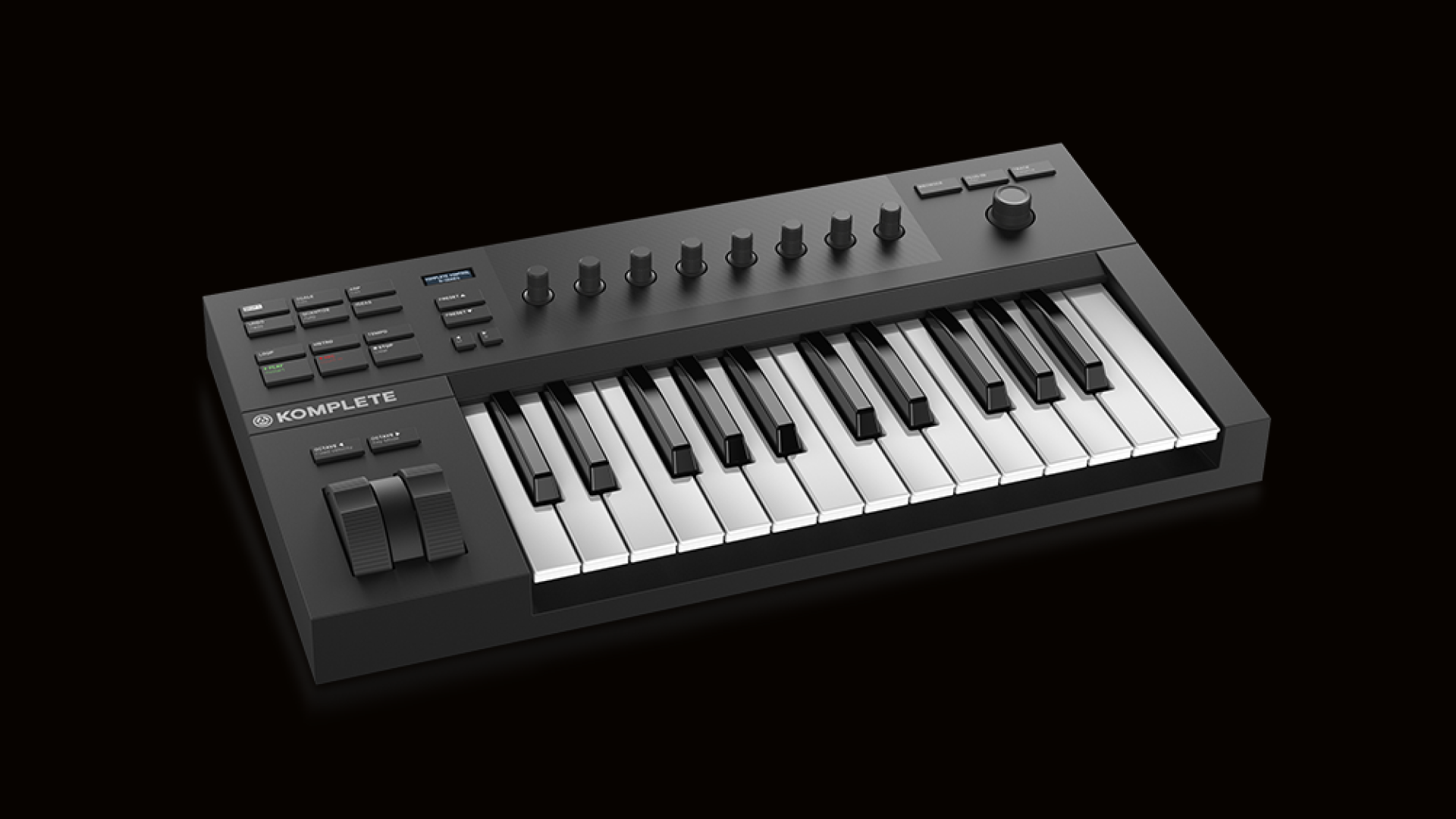
Yes. NI identifies a 25-key semi-weighted A-Series controller with eight touch-sensitive knobs, an OLED, a 4-D encoder, pitch/modulation wheels, transport and Smart Play functions. It sends USB MIDI to a computer for software instruments; the sources do not establish a built-in sound engine or a numerical body width. A 25-note span remains a deliberate range compromise, not a piano-length replacement.
Explore this need in the finder →Can the A25 connect directly to a hardware synth's 5-pin MIDI input?
The A-Series manual's rear-panel layout identifies USB and a single foot-pedal socket, not 5-pin DIN MIDI OUT. The documented MIDI route is USB to a computer; a computer plus separate MIDI interface might bridge to hardware, but that extra equipment is outside this keyboard's direct output plan. Check the actual seller unit and manual if a DIN jack is a must-have.
Explore this need in the finder →Is USB-C or a measured width verified for the exact A25?
No. NI documents USB 2.0-or-later host connection and bus power, but the manual text does not name the physical keyboard-side connector shape. The product page and manual reviewed here also do not provide a chassis width in inches or millimeters. Do not treat the USB standard as a USB-C fit or estimate desk clearance from a product render; verify the exact unit and physical space independently.
Explore this need in the finder →The Native Instruments KOMPLETE KONTROL A25 is a 25-key semi-weighted USB MIDI controller aimed at software instruments and NI's browsing/control workflow. Its small note range is deliberate, but the reviewed manufacturer pages do not publish a numerical body width or identify the keyboard-side USB connector shape, so a strict desk-fit or USB-C requirement needs separate confirmation.
A compact A-Series controller, not a sound module
NI describes the A25 as the smallest of three A-Series capacities, alongside the A49 and A61. All are listed with a custom semi-weighted NI keybed, while the A-Series manual says the models share their broader features beyond the key count. The A25 has 25 keys; that is enough to enter a compact melody, bass line or short chord part, but it leaves little room to play a broad two-handed passage without octave shifts. Those shifts move the range of the existing keys; they do not add physical reach.
The control surface makes the A25 more than a basic note keyboard. NI documents eight touch-sensitive knobs, a two-line OLED, a four-direction push encoder, transport controls, pitch and modulation wheels, preset and page navigation, and Smart Play functions for scales, chords and arpeggios. The manual's diagrams show a row of keys and those software-oriented controls, not a drum-pad bank. The control layout is most valuable when the keyboard is paired with KOMPLETE KONTROL and a supported DAW; it will not replace the need to verify which functions your host version exposes.
The A25 is not documented as a standalone synthesizer. The supported use is USB MIDI to a computer running software instruments. The computer or the external instrument supplies the sound and needs its own output to headphones, speakers or an audio interface. A MIDI keyboard by itself does not produce an audible tone merely because it has a screen and a software bundle.
What the A25 gives up to stay at 25 keys
Compared with the 49-key A49, the A25 uses less keybed length but shares the documented A-Series control family. The A61 extends the range further for two-handed lines, still with semi-weighted action. The current M32 is a different compact choice: NI calls it micro-sized and it has 32 keys, two touch strips and a product-page/manual disagreement over its action terminology; the A25 instead has 25 A-Series keys, separate pitch/mod wheels and the A-Series OLED/knob layout. The choice is about span and controls, not a claim that one model feels better.
NI's reviewed A25 page and manual do not specify key width, a numerical chassis width or keyboard-side USB connector shape. The screen, wheels and top image are not a measuring reference. If a keyboard tray or shelf has a firm maximum width, do not estimate the A25 from the product render or borrow the S49's published dimensions. Ask the seller or manufacturer for a measurement tied to the exact model and allow room for the cable and hands.
USB MIDI and the absence of direct DIN
The product specifications say USB 2.0 bus-powered and that the keyboard can be used as a USB MIDI controller. The manual's setup instructions connect its rear USB socket to a USB 2.0-or-later computer port and recommend a direct host or powered hub for reliable operation. That describes a data standard and host setup, not a USB-C plug shape. If USB-C at the keyboard is a must-have, the documentation reviewed here does not verify that requirement; check the exact socket and cable instead of equating USB 2.0 with USB-C.
The rear-panel view identifies USB and a single foot-pedal input assignable to sustain, but no 5-pin MIDI IN/OUT. This means the documented hardware path is to a computer, not a direct DIN connection to a vintage synth or module. A separate computer/MIDI interface can bridge to some external gear, but that adds equipment and configuration outside the A25. The controller also has no documented pads. Key aftertouch is not established in the sources reviewed, so do not buy it expecting a particular pressure-expression behavior.
Software and setup are part of the decision
NI lists KOMPLETE KONTROL, a KOMPLETE SELECT voucher/download and Ableton Live Lite as software benefits after hardware registration. Verify the current license terms, account eligibility and what remains available if buying used or through a package that has been opened. The included USB cable and documentation are listed, but the product page does not turn a seller's software codes into guaranteed transferable entitlements. A sustain pedal is a separate connection, not an item the reviewed box-content list confirms.
The product page names integration paths for Logic Pro X, GarageBand, Ableton Live, Cubase, Nuendo and Studio One. Those are not identical to simple USB MIDI operation: deep transport, browsing or mapped control depends on software versions and host setup. Before buying, confirm your DAW and operating system against current NI support and decide whether the A25's control layer will actually be used.
Bottom line
The A25 fits a software-first setup when 25 notes are enough and the A-Series display, knobs, encoder and Smart Play controls are more useful than a longer keyboard. It is a poor fit if you need an 88-note span, directly wired 5-pin MIDI, pressure-sensitive pads, confirmed USB-C or a guaranteed numeric width. The most important unknowns are physical dimensions and the keyboard-side USB connector shape; neither should be filled by guessing from an image or a nearby NI model. This assessment is based on the exact NI product page and A-Series manual, not hands-on testing. Check the exact A25 variant and software package with the seller.
Primary sources: Native Instruments KOMPLETE KONTROL A25 product page and specifications; KOMPLETE KONTROL A-Series Manual, English; Native Instruments MIDI-keyboard collection. Confirm the physical connector, dimensions and current license terms for the exact offer.
Key specifications
Key details at a glance
| Keys | 25 |
|---|---|
| Manufacturer's keybed description | Semi weighted |
| Pads | 0 |
| Velocity-sensitive pads | No |
| Pressure-sensitive pads | No |
| 5-pin MIDI Out | No |
| USB bus-powered | Yes |
| Assignable pedal input | Yes |
| 5-pin MIDI In | No |
| 5-pin MIDI outputs | 0 |
| CV/Gate/Mod voice outputs | 0 |
Use the exact model’s instructions for operating limits, supplied equipment and version differences.
Sources for this review
Sources for this assessment
Start with your setup, not a headline feature
Use the finder to combine key-count, connection, control and desk-fit requirements. Unverified specifications are never treated as a match.