
Your needs, this model
Does it fit your priorities?
Does the KOMPLETE KONTROL A61 meet a 61-key minimum?
Yes. NI's exact A61 variant is the 61-key size of the semi-weighted A-Series, with the family OLED, eight touch-sensitive knobs, 4-D encoder, transport, pitch/modulation wheels, a sustain input and Smart Play functions. The A-series manual says the sizes share features beyond key count. This gains two octaves over the A25 but does not document the S-Series' polyphonic aftertouch or DIN output.
Explore this need in the finder →Can the A61 plug directly into 5-pin MIDI hardware?
The shared A-Series manual's rear view shows the USB connection and pedal socket, not a 5-pin MIDI output. The documented external control route is USB MIDI to a computer. If a hardware synth only accepts DIN, plan another interface or choose a keyboard with an explicitly documented DIN port; no audio is carried by MIDI notes.
Explore this need in the finder →How does the A61 differ from the Kontrol S61 MK3?
Both names identify 61-key NI controllers, but the documented arrangements differ. A61 is semi-weighted with a custom NI bed, an OLED and USB 2.0 bus-power language; the reviewed sources do not confirm its physical USB socket shape, width, key aftertouch or DIN output. S61 MK3 is a semi-weighted Fatar TP/90 keyboard with polyphonic aftertouch, USB-C and rear 5-pin MIDI I/O, and NI publishes its width. Compare the actual routing and physical evidence rather than treating the shared 61-key label as full equivalence.
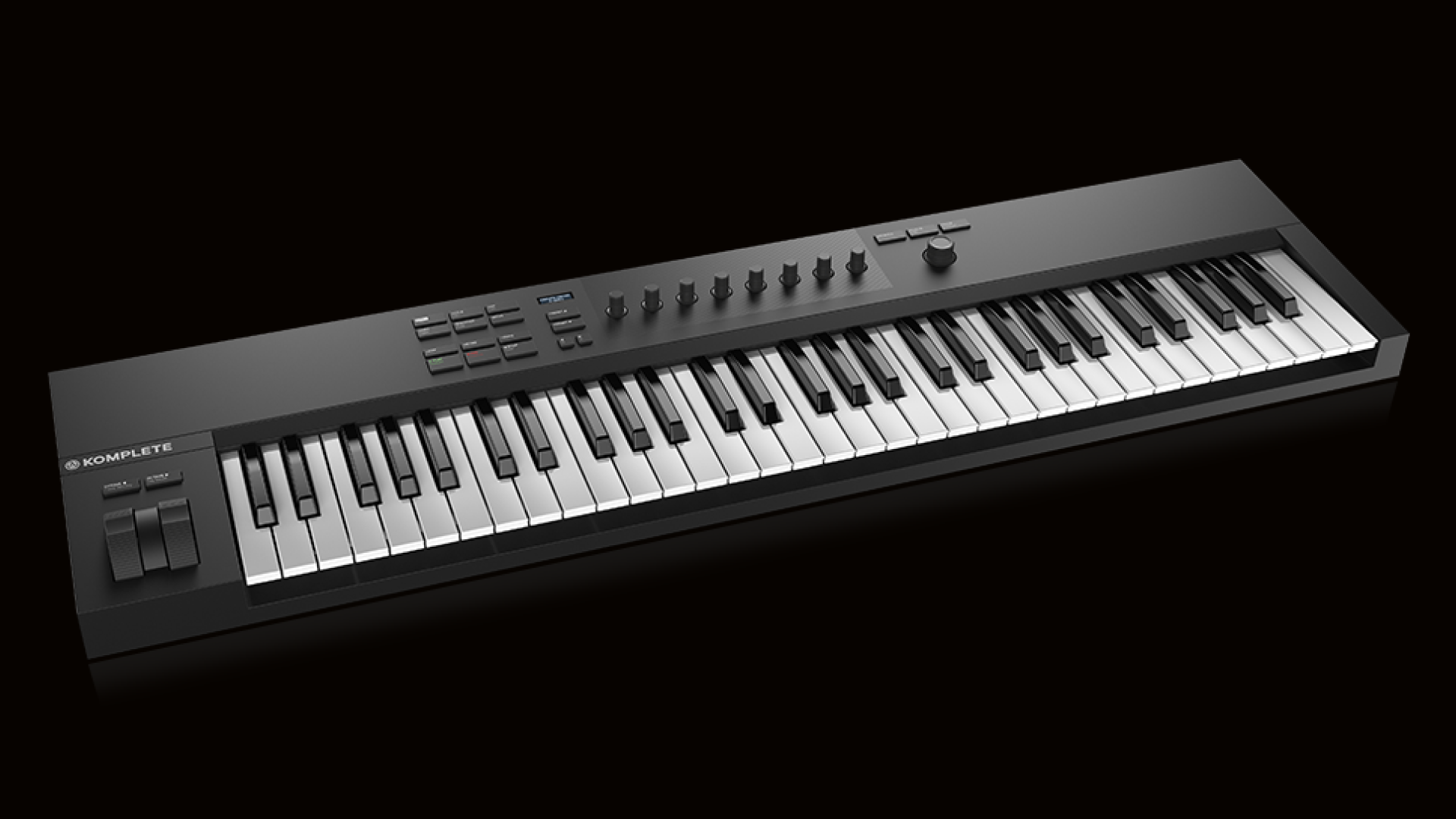
Explore this need in the finder →The Native Instruments KOMPLETE KONTROL A61 is the longest keyboard in the A-Series: 61 semi-weighted keys with NI's software-browsing and mapped-control surface. It sends USB MIDI to a computer and is bus-powered, but the official sources reviewed do not establish a physical USB-C socket, a numerical body width or direct 5-pin MIDI output.
Why move from A49 to A61?
NI identifies A61 as a 61-key configuration with the custom semi-weighted A-Series bed. The shared A-Series manual states that A25, A49 and A61 retain the same features beyond key count, so the principal reason to choose this model over A49 is additional physical range. Sixty-one notes allow more two-handed material and longer melodic passages to remain in one position than a 49-key layout. It is still not an 88-note keyboard, and the same semi-weighted action remains. Octave controls can shift the existing range but do not add additional physical keys.
The A-Series' main control surface includes eight touch-sensitive knobs, a two-line OLED, a four-direction encoder, transport and navigation buttons, pitch and modulation wheels and Smart Play controls for scales, chords and arpeggios. These controls are mapped around KOMPLETE KONTROL and compatible DAWs. The manual explains browsing and host features as software workflows, not a bank of fixed pad triggers. The product render and manual layout show no drum pads; key aftertouch is not established in the pages reviewed.
This remains a controller keyboard. The documented use is to send MIDI over USB to a computer and play software instruments there. A61 is not described as a standalone synth, and the reviewed pages do not specify an audio output. Plan a computer/host and monitoring route, or use another instrument to produce audio.
Do not confuse A61 with S61 MK3
The KOMPLETE KONTROL A61 and Kontrol S61 MK3 share a 61-key count, but their source-backed operating plans differ. A61 is the custom NI semi-weighted A-Series board with an OLED, USB 2.0 bus-power specification and a rear-panel layout showing USB and one sustain-pedal connection. The reviewed A-series manual does not show 5-pin DIN MIDI sockets. The S61 MK3 has a Fatar TP/90 semi-weighted bed with polyphonic aftertouch, a high-resolution color glass screen, USB-C, 5-pin MIDI IN/OUT and four pedal inputs; NI also publishes that S61's body width. A61's 61 keys alone do not prove those S-Series features.
If a direct external-MIDI cable or per-key pressure expression is central to the setup, read the S61's exact facts and manual rather than assuming both 61-key NI models share ports. If the computer/software browsing role is the priority and only USB MIDI is needed, A61's simpler surface may be enough. Check whether your destination instrument responds to keyboard MIDI and whether your chosen DAW supports the deeper integration you want.
USB MIDI, power and connection limits
NI says the A61 is USB 2.0 bus-powered and can function as a MIDI controller. The manual tells users to connect the supplied USB cable to the keyboard's rear USB socket and a USB 2.0-or-later computer port. It recommends direct connection to a computer or a powered USB hub for reliability. The source text does not name the physical shape of the A61's socket, so this USB-standard statement is not a USB-C guarantee.
The same manual's A-Series rear view lists USB and a foot-pedal input but no 5-pin MIDI IN/OUT. Its supported direct plan is therefore USB to a computer. An external hardware synth that only accepts DIN needs a separate MIDI interface/bridge and correct software routing; the A61 itself is not documented as providing that DIN output. A MIDI path also does not supply audio to monitors or headphones. One TRS pedal input is assignable to sustain, including half-damper support described by NI, but the exact pedal and any other accessories should be verified in the seller package.
Measure before committing to a 61-key chassis
The exact A61 page and manual reviewed here do not state width, depth, height or weight. The fact that it is longer than A49 does not provide a reliable inch measurement, and the front-facing product image cannot establish one. For a fixed tray or shelf limit, request a manufacturer dimension or measure an exact unit before purchase. Include the rear cable bend, pedal connector access, hand clearance and stand/desk support, rather than comparing the available opening to a visual estimate.
Software benefits need an account check
NI lists KOMPLETE KONTROL, Komplete Select and Ableton Live Lite as software downloads or vouchers following hardware registration. Confirm whether a new or used unit is eligible, whether an entitlement has already been claimed and what the current license terms allow. The exact seller's box contents and license state may differ from a manufacturer feature page. Host integration names are useful starting points, but versions change; confirm current NI guidance for your DAW and operating system before relying on browsing, transport or mapped controls.
Bottom line
The A61 is worth considering when 61 semi-weighted keys and the A-Series software-control surface make sense, while direct DIN MIDI and verified USB-C are not hard requirements. It offers more range than the A49 without changing the documented feature family, but does not gain the S61's explicitly documented aftertouch and hardware ports. Its physical width and USB plug shape remain unknown in the sources reviewed, so do not use it for a firm desk-cap or USB-C match until you check the exact unit. This assessment is based on NI's product page and manual rather than hands-on testing.
Primary sources: Native Instruments KOMPLETE KONTROL A61 product page and specifications; KOMPLETE KONTROL A-Series Manual, English; Native Instruments MIDI-keyboard collection. Check the current exact-offer bundle and host support.
Key specifications
Key details at a glance
| Keys | 61 |
|---|---|
| Manufacturer's keybed description | Semi weighted |
| Pads | 0 |
| Velocity-sensitive pads | No |
| Pressure-sensitive pads | No |
| 5-pin MIDI Out | No |
| USB bus-powered | Yes |
| Assignable pedal input | Yes |
| 5-pin MIDI In | No |
| 5-pin MIDI outputs | 0 |
| CV/Gate/Mod voice outputs | 0 |
Use the exact model’s instructions for operating limits, supplied equipment and version differences.
Sources for this review
Sources for this assessment
Start with your setup, not a headline feature
Use the finder to combine key-count, connection, control and desk-fit requirements. Unverified specifications are never treated as a match.