
Your needs, this model
Does it fit your priorities?
Does the Kontrol S61 MK3 meet a 61-key minimum and provide external MIDI output?
The exact S61 MK3 page and S-Series manual specify 61 semi-weighted Fatar keys with polyphonic aftertouch. The rear-panel documentation includes 5-pin MIDI OUT and MIDI IN, alongside USB-C computer connection. That is a supported controller route, not an internal synthesizer or audio output. Allow more desk width than the S49: NI publishes a 967.4 mm (about 38.09 in) body width before cable and hand clearance.
Explore this need in the finder →Can the S61 be used for USB-C software control and wired hardware MIDI together?
Its USB-C HOST port links the keyboard to a computer while the documented rear 5-pin MIDI OUT can address external equipment through a DAW or MIDI mode. The manual distinguishes HOST and power-only USB-C sockets. If the computer has only USB-A, NI requires an adapter plus an additional USB-C power supply; check the host's power delivery and the seller package rather than assuming the included cable alone will suffice.
Explore this need in the finder →Is the S61 MK3 an 88-key weighted piano-action board?
No. It is the 61-key S-Series MK3 with a semi-weighted Fatar TP/90 keybed and polyphonic aftertouch. The S88 uses 88 fully weighted hammer-action TP100 keys and has a much wider, heavier body. Choose the S61 when 61 notes and the S-Series expression/connectivity set matter more than a piano-length weighted key range; do not treat the family name as proof that the key actions match.
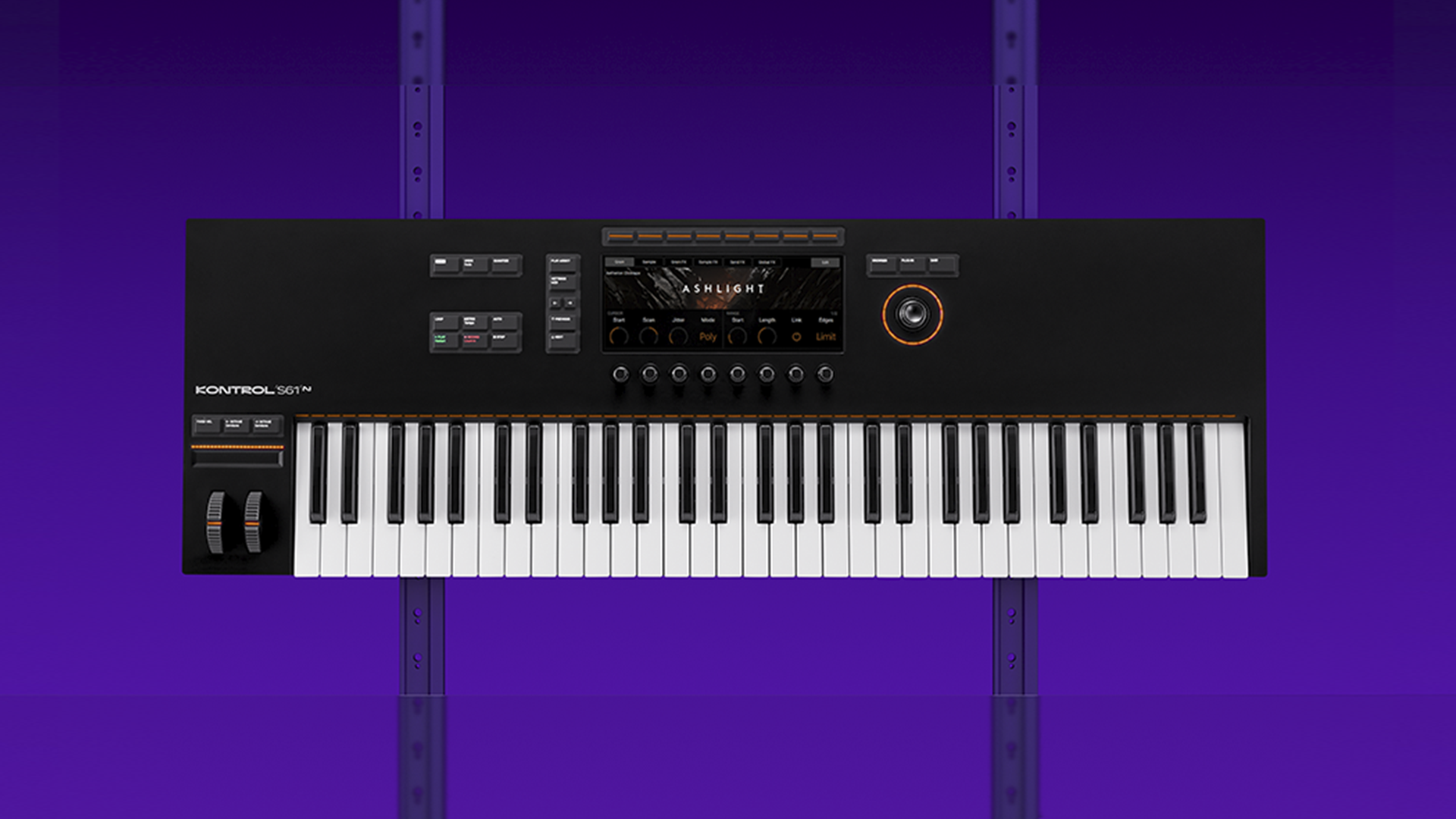
Explore this need in the finder →The Native Instruments Kontrol S61 MK3 is the 61-key member of the current S-Series controller line: semi-weighted Fatar keys with polyphonic aftertouch, a USB-C computer link, a high-resolution display and direct 5-pin MIDI ports. It is a larger reach than the S49 without switching to the fully weighted hammer-action bed used by the S88.
A 61-key middle ground, not a piano replacement
NI identifies the S61 MK3 as a 61-note controller with a semi-weighted Fatar TP/90 keybed. The extra twelve notes over the S49 create more room for two-handed passages, split ideas and octave-spanning parts before a transpose becomes necessary. But it is not an 88-key instrument, and the size label says nothing about whether this particular action will feel right to you. The S88 is a separate configuration with 88 fully weighted hammer-action TP100 keys. If a piano-like weighted action or a full conventional keyboard range is the deciding requirement, the S61 is not the S88 with a shorter key count.
Polyphonic aftertouch is the other keybed feature that distinguishes this controller from many generic note keyboards. NI describes pressure information per key, which can drive expression independently across notes when the destination instrument accepts it. It is not the same as channel aftertouch, and it is not a promise that every DAW plugin will respond to it. The S61 has no documented pressure-sensitive drum-pad bank; its illuminated Light Guide sits above the keys to show mappings and play-assist information.
More than a keybed
The top panel includes the line's 1280-by-480 glass color screen, eight touch-sensitive control encoders, a four-way push encoder, pitch and modulation wheels, a touch strip, transport controls and a Light Guide. These components support a workflow where a player browses sounds, adjusts mapped parameters and controls supported host functions without reaching for a mouse at every step. The screen-centered, NKS-oriented approach is most relevant for people who use Kontakt, Komplete Kontrol and mapped partner instruments; its value is smaller if the goal is only a basic MIDI note source.
NI describes current MK3 integration with supported versions of Ableton Live, Bitwig, Cubase, Digital Performer, FL Studio, Logic Pro, Pro Tools and Studio One. Check your installed version and NI's current compatibility list: product-page host names do not guarantee that every old OS, plugin, DAW revision or existing project exposes the same controls. The hardware manual also describes direct MIDI modes and host setup, so a clean first setup may require choosing the right ports and mapping for the session.
USB-C host connection and real DIN output
The S61's rear panel separates a USB-C HOST/data connection from a power-only USB-C socket. The keyboard can use host power when the computer or hub supplies enough. For a computer with USB-A only, the manual calls for a USB-C-to-USB-A adapter or cable plus an additional USB-C supply rated at least 5 V, 7.5 W and 1.5 A. That external supply is part of the documented workaround, not something to assume is in the box. A USB-C socket on a dock also needs to pass both data and sufficient power.
Separate 5-pin MIDI IN and OUT ports let the S61 route to external gear, not just software. The manual describes using the keyboard's own MIDI ports as an interface or in a standalone controller arrangement. That makes this a strong candidate for a studio that combines computer instruments with a hardware synth, but the MIDI cable carries control data—not sound. The receiving instrument still needs power and an audio route to speakers, headphones or an interface. The S61's own documented job is controller/MIDI integration, not generating audio.
Four assignable pedal inputs add room for sustain, expression and additional controls. That can be useful for a performance setup, but it means you should confirm pedal compatibility and cable access. A standard sustain pedal is not the same purchase as four pedals, and the seller's package should be checked rather than inferred from a product-page feature list.
Physical fit and layout choices
Native Instruments publishes the S61 body's width as 967.4 mm, depth as 323 mm and height as 86 mm, with a 6 kg mass. That converts to about 38.09 inches wide, 12.72 deep, 3.39 high and 13.23 pounds. Leave room beyond those measurements for a USB-C connector, MIDI plugs, pedal leads and hand movement. Check the stand or tray's actual support rating; a keyboard's advertised width is not an installation test.
The S49 is the more compact S-Series route if 49 notes are enough. The S61 maintains the same semi-weighted TP/90 action and per-key aftertouch but uses a wider chassis and broader note range. The A61 shares a 61-key floor, yet it is not equivalent on the evidence reviewed: the A-Series manual documents USB MIDI and one sustain input, while S61 MK3 has explicitly documented USB-C, DIN I/O, four pedal connections and polyphonic aftertouch. Compare those exact requirements instead of relying on the shared “61” in the model names.
Software bundles and what is not built in
NI lists Komplete Kontrol software and various software/content benefits on the S-Series page, with registration and downloads involved. Confirm the exact seller offer, NI account eligibility and current licensing terms, especially for a used keyboard or a transferred license. A bundle's instruments are software; they do not turn the S61 hardware into a standalone sound module or audio interface. Plan on the computer's audio system or an external instrument and monitoring chain.
Bottom line
The S61 MK3 is the sensible S-Series size to investigate when 61 notes, semi-weighted action, per-key aftertouch, USB-C and direct MIDI hardware routing all have a job in the same setup. Its cost in space is measurable: nearly 38.1 inches of body before cable and playing clearance. The keybed remains semi-weighted, not the S88's hammer action, and software control depends on supported hosts, correct configuration and current account terms. Check the exact MK3 edition, host power path, physical support and included accessories; this review is based on NI's product and manual evidence rather than hands-on testing.
Primary sources: Native Instruments Kontrol S61 product page and specifications; Kontrol S-Series MK3 Manual, English; Native Instruments MIDI-keyboard collection. Host support and seller bundle conditions can change; verify the current terms.
Key specifications
Key details at a glance
| Keys | 61 |
|---|---|
| Manufacturer's keybed description | Semi weighted |
| Width | 38.09 in |
| Pads | 0 |
| Velocity-sensitive pads | No |
| Pressure-sensitive pads | No |
| 5-pin MIDI Out | Yes |
| Computer connection | USB-C |
| USB bus-powered | Yes |
| Assignable pedal input | Yes |
| Keyboard channel aftertouch | Yes |
| 5-pin MIDI In | Yes |
| Depth | 12.72 in |
| 5-pin MIDI outputs | 1 |
| CV/Gate/Mod voice outputs | 0 |
Use the exact model’s instructions for operating limits, supplied equipment and version differences.
Sources for this review
Sources for this assessment
Start with your setup, not a headline feature
Use the finder to combine key-count, connection, control and desk-fit requirements. Unverified specifications are never treated as a match.