
Your needs, this model
Does it fit your priorities?
Can Launchkey 88 MK3 meet an 88-key DIN and pad-pressure brief under 50 inches?
The exact page and version-6 guide document 88 semi-weighted keys, a 50-inch body, pressure-responsive pads and a separate five-pin DIN output. At a strict 50-inch bare-body threshold it just enters the width screen; leave room for plugs, hands, cabling and support beyond the instrument's nominal dimensions.
Explore this need in the finder →Does Launchkey 88 MK3 provide aftertouch from the keys?
The reviewed sources establish polyphonic aftertouch on the 16 pads, but describe the 88 keys as velocity-sensitive with selectable velocity curves. They do not establish keyboard-key aftertouch, so do not conflate the two surfaces.
Explore this need in the finder →What power and audio equipment is needed for a standalone Launchkey 88 MK3 setup?
The manual permits its DIN MIDI Out without a computer when the controller is powered by a separate standard 5 V USB supply rated at least 500 mA. The external MIDI sound source requires its own power, and the Launchkey itself does not provide an audio output or sound engine in the reviewed specification.
Explore this need in the finder →Launchkey 88 MK3 is the long-range earlier model in the Launchkey MK3 family. Novation's US page identifies the exact configuration as SKU/MPN NOVLKE88MK3. This specification-based assessment does not claim a keyboard was used, weighed or tested.
Full note span, but not a weighted-piano promise
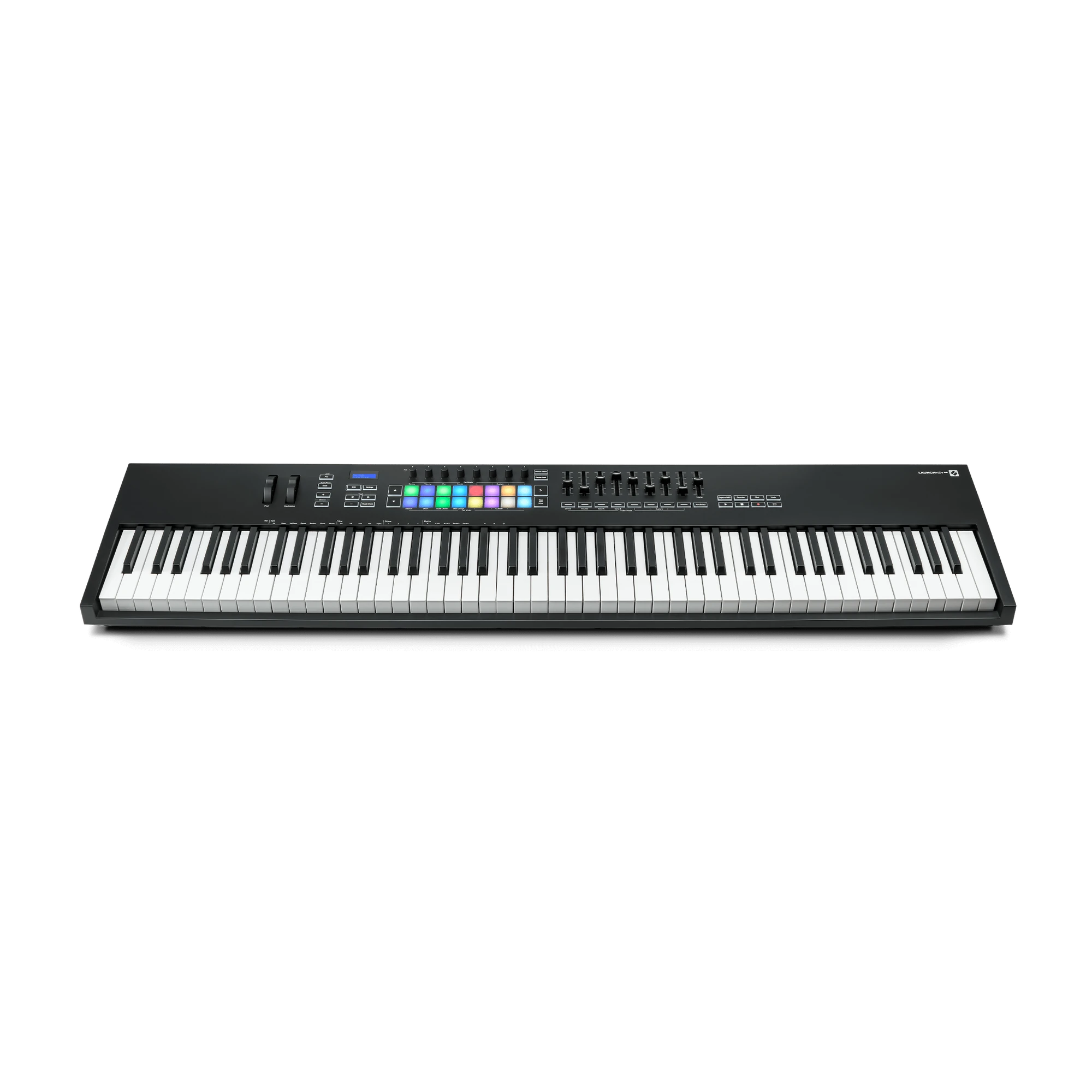
The 88-key MK3 has a velocity-sensitive semi-weighted keybed and four velocity curves. Novation describes its feel as piano-like; that phrase is the manufacturer's characterization, not a measured force curve or evidence of acoustic-piano hammer action. It gives a player a broad physical range that can reduce octave shifts during passages spanning bass and upper registers. If most parts are recorded in layers, or the stand and desk cannot support an instrument this long, the extra notes may not be worth the installation burden. The physical range and preferred touch are separate buying questions.
The manual's dimensional table gives a 1270 mm (50.00-inch) width, 258 mm (10.16-inch) depth and 87 mm (3.43-inch) height. It prints a mass of 8.3 kg and 18.08 lb, which are inconsistent conversions; the exact product page does not supply a weight. This review therefore leaves mass unresolved rather than turning one figure into a confident claim. Plan for a full-length support surface, cable exits, hands and pedal clearance; a 50-inch body is not a 50-inch complete installation.
Pad expression is separate from key aftertouch
The exact 88 configuration adds sixteen velocity-sensitive pads that Novation describes with polyphonic aftertouch. That is pressure-sensitive pad behavior, not proof that the 88 keyboard keys themselves send aftertouch. Its keys are described as velocity-sensitive with four response curves, and the reviewed documentation does not establish key aftertouch. A host instrument must also support the incoming pad expression for pressure gestures to change sound. If the intended control is pressure after playing a key, this spec does not answer that need.
Eight knobs and nine faders with buttons sit alongside pitch and modulation wheels, transport controls, display and Custom Modes. The pads can handle clip, drum, chord or custom assignments depending on mode and host. Novation also documents scales, chord modes and an arpeggiator with adjustable behavior. These features make the controller broader than a basic keybed, but don't imply that all controls are pre-mapped identically in every DAW. The manufacturer materials reviewed do not specify a sound engine or audio output; this is a controller, not a standalone sound source.
Computer and external-MIDI connections
Launchkey 88 MK3 uses USB Type-B for a computer, draws bus power from the connected host in the computer arrangement and is supplied with a 1.5-metre USB-A-to-B cable. It also has a direct five-pin DIN MIDI Out. This lets the computer/DAW connection and external hardware MIDI path coexist. A newer laptop with USB-C only may require a different cable or adapter; the keyboard's connector remains USB Type-B.
For standalone routing, the v6 guide says to power the controller from a standard USB supply rated at 5 V DC, minimum 500 mA, and connect the DIN output to a MIDI device. DIN sends control messages, not audio. Any receiving synthesizer or sound module needs its own power and separate audio route to a monitoring system. The exact page also documents a 6.35 mm sustain input. Before selecting a stand, account for the instrument's full length, cable path, pedal and the support surface under the keybed.
Host integration and everyday control
Novation positions this generation around Ableton Live integration and lists additional support for Cubase, Logic and Reason, with HUI for compatible other DAWs. Check the exact downloads page for current software requirements and setup steps; historical manuals can describe host versions that no longer reflect current recommendations. HUI is useful for common transport and mixer workflows but does not make every DAW's plug-ins map in the same way. Novation Components can configure user modes, but that flexibility requires actual template setup rather than guaranteeing the desired mapping out of the box.
How it compares with the newer 88s
The Launchkey 88 MK4 keeps a semi-weighted long keybed while updating its computer connector to USB-C and documenting pressure-responsive pads. In the current reviewed library, the two Arturia 88s are separate alternatives: KeyLab Essential 88 is 49.53 inches wide, while the non-Essential KeyLab 88 uses a fully weighted Fatar keybed and a 50.98-inch body. Those figures point to different support and playing requirements. MK3's exact 50-inch body does meet a 50-inch bare-body cap by definition, whereas MK4 at 50.16 inches does not. A 50-inch setting leaves no nominal body margin at all, so neither the arithmetic nor an image proves a practical fit.
Choose the MK3 when the documented 88-note semi-weighted arrangement, pad aftertouch and DIN route align with the actual host and rig—and when the older model's port generation is acceptable. It is a poor match for a verified USB-C requirement, an unknown stand load, a sub-50-inch body limit or a need for keyboard-key aftertouch. Check exact seller suffix, guide, cable and current compatibility information before comparing the offer. The width guide explains how to use published body sizes without treating them as complete installation allowances.
Novation US Launchkey 88 MK3 page · official 88 MK3 downloads and guide · Launchkey MK3 family page.
Key specifications
Key details at a glance
| Keys | 88 |
|---|---|
| Manufacturer's keybed description | Semi weighted |
| Width | 50 in |
| Pads | 16 |
| Velocity-sensitive pads | Yes |
| Pressure-sensitive pads | Yes |
| 5-pin MIDI Out | Yes |
| Computer connection | USB Type-B |
| USB bus-powered | Yes |
| Assignable pedal input | Yes |
| Depth | 10.16 in |
Use the exact model’s instructions for operating limits, supplied equipment and version differences.
Sources for this review
Sources for this assessment
Start with your setup, not a headline feature
Use the finder to combine key-count, connection, control and desk-fit requirements. Unverified specifications are never treated as a match.